Translate

Write in your language. Send it in theirs.

KeycoBoard translates the text in your field, or what you say, into 45 languages and regional variants, including English, Chinese and Japanese, and puts the result where you are typing. No translator tab, no copy and paste.

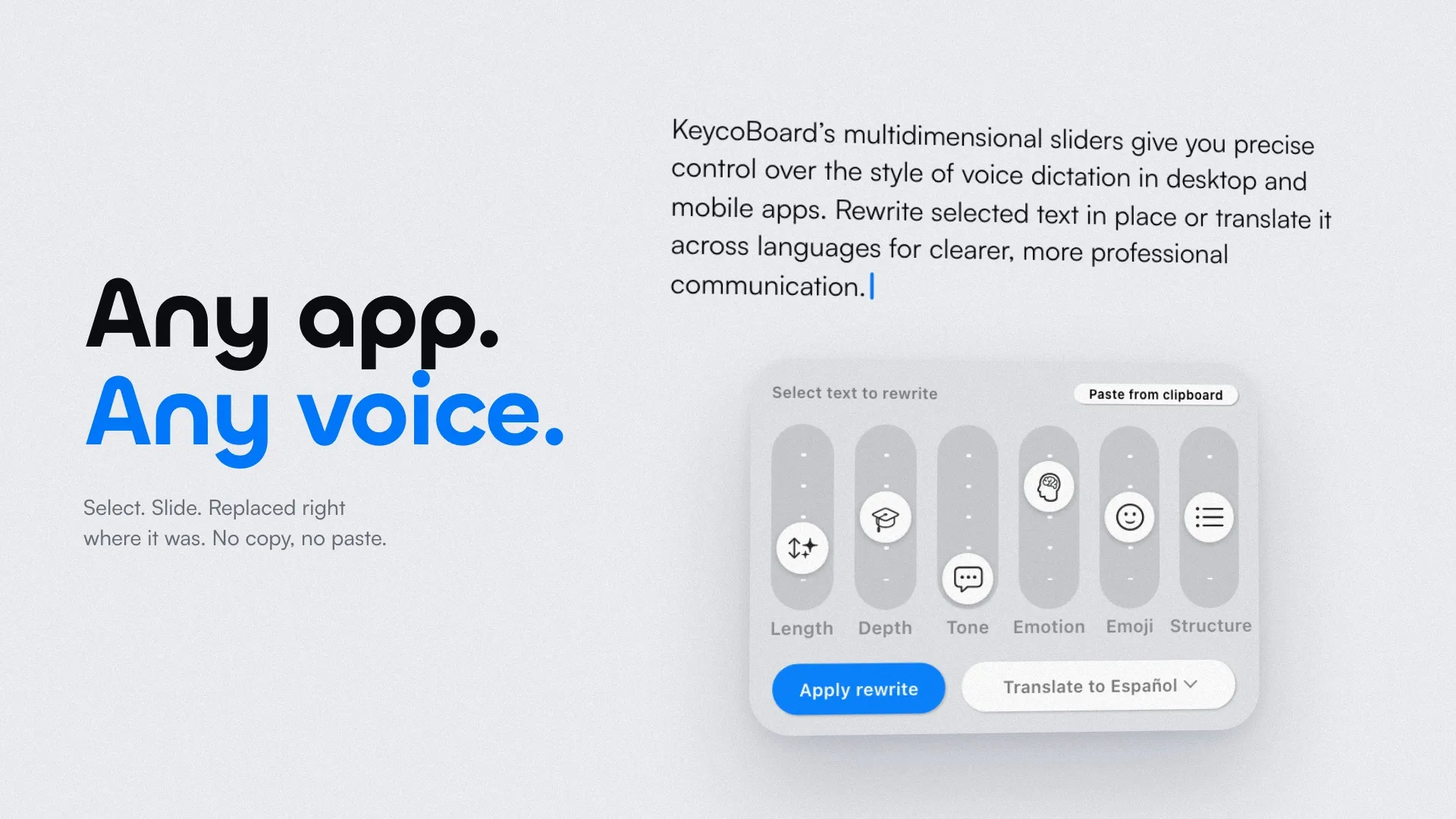
KeycoBoard rewrite panel on Mac with an Apply rewrite button and a Translate to Español menu

How it works

  1. 01

    Select text, or start speaking

    Highlight what you wrote in any app, or start voice typing.

  2. 02

    Pick the target language

    The panel lists Don’t Translate and five favorite languages. Choose your five in the app settings from 45 languages and regional variants, including English (US, UK, Australia, Canada), Simplified and Traditional Chinese, Cantonese in Traditional or Simplified characters, Japanese, Korean, Spanish (Spain, Latin America, Mexico), French, German, Portuguese, Italian, Russian, Arabic, Hindi, Thai and Vietnamese.

    Use translation with voice input

  3. 03

    Review the replacement

    The translation goes back into the supported field. Check the recipient, names, dates and amounts against your original before sending it yourself.

    Follow the Chinese-to-English email workflow

Input and output examples

Editorial examples illustrate the workflow, not recorded benchmark results. Actual wording varies by model, settings and context. Review facts before using the output.

Translate an existing Chinese message into English

Input
Alex 你好,会议改到周四下午三点,请带上最新的报价。
Settings
Text translation. Target: English. Sliders at their defaults.
Example output
Hi Alex, the meeting has been moved to Thursday at 3 p.m. Please bring the latest quotation.

Built for writing to people in another language

Preserve meaning, then verify it

Translation is instructed to keep the facts and intent while using natural wording. That is a generation goal, not a guarantee: check names, numbers and specialist terms yourself.

Choose a voice typing and rewriting app

Speak, then send in one step

Dictate in your own language and get the other language straight away. No transcript to copy into a translator.

Proper written Cantonese

Choose Hong Kong Cantonese in Traditional characters or Cantonese in Simplified characters. Both keep Cantonese words and grammar instead of turning them into Mandarin written Chinese.

Same keyboard everywhere

Reply to customers, suppliers and teammates from the keyboard and shortcuts you already use, on Mac, iPhone and iPad.

Translate and set the tone at once

The six sliders, Custom Rewrite Prompts and the text around your cursor all apply when you translate. Make it more formal or shorter before you apply, and the translation comes back that way.

See what each slider does

Translate the text you can access

For existing text, select the passage in an editable field. This is not a web-page, screenshot or PDF translator. On iOS, split long drafts into sections when the keyboard cannot access the complete text.

Check iPhone keyboard permissions · Read the processing and history guide

Requirements and limits

Platforms, permissions, processing and pricing.

Questions

Which languages can KeycoBoard translate into?

45 languages and regional variants, including English (US, UK, Australia, Canada), Simplified and Traditional Chinese, Cantonese in Traditional or Simplified characters, Japanese, Korean, Spanish (Spain, Latin America, Mexico), French, German, Portuguese, Italian, Russian, Arabic, Hindi, Thai and Vietnamese. The panel shows the five you choose in the app settings.

Can I translate while I dictate?

Yes. Pick a target language in the voice controls; when you stop recording, the result comes out in that language.

Will it change my meaning?

Translations are instructed not to add or drop facts, numbers, names or intent. As with any AI translation, check important messages before you send them.

Is translation included in the Free plan?

Yes. Translation shares the Free plan’s 30 uses a month with voice typing and rewriting. Pro makes all three unlimited with standard models.

Can I translate and change tone in one request?

Yes. Pick a target language and set the sliders. One request returns the translation in that tone and length, and it counts as one use.

Compare your options

Features, limits and prices, with sources.

Setup and FAQ · Privacy and processing

Try it in your own text field.

Free to start on Mac, iPhone and iPad with 30 shared uses a month. Pro is US$29.99/year or US$3.99/month. See pricing