 Start free on macOS
Speak a Chinese message, get a clean Chinese list
- Input
- 那个,明天的会改到下午三点吧,嗯,地点还是三楼会议室,然后麻烦大家提前把周报发我一下。
- Settings
- Rewrite mode. Structure: Structured. Tone: Neutral. Emoji: None. Length: 1×.
- Example output
- • 会议:改到明天下午三点。 • 地点:三楼会议室,不变。 • 请大家会前把周报发给我。
Chinese keyboard
KeycoBoard is a full Chinese keyboard for iPhone and iPad with Pinyin, Shuangpin, Wubi, Cangjie and Quick, and AI voice input built into the same keyboard. You can type and dictate in one place, without switching back to another input method.
In Settings, add KeycoBoard under Keyboards. Basic typing works as soon as it is added, offline and without Full Access. Turn on Full Access only when you want voice input and the other AI features.
Pick the Chinese keyboard, then your input method: Pinyin, Shuangpin, Wubi, Cangjie or Quick. Pinyin and Shuangpin come in 26-key and 9-key layouts. You can change the method in the keyboard’s own settings or in the app.
Type as usual. When speaking is easier, tap the microphone in the same keyboard, say what you want to write and stop. The text lands in the field you were typing in.
Editorial examples illustrate the workflow, not recorded benchmark results. Actual wording varies by model, settings and context. Review facts before using the output.
Pinyin works on 26 or 9 keys. Shuangpin offers seven schemes (Sogou, Microsoft, Xiaohe, Ziranma, Pinyin Jiajia, Ziguang and Smart ABC), also on 26 or 9 keys. Wubi covers the 86, 98 and New Century versions. Cangjie and Quick are for typing Traditional Chinese by character shape. Wubi, Cangjie and Quick use the 26-key layout.
Typing in every input method works without an internet connection, without Full Access and without paying. Only the AI features, voice input, rewriting and translation, need the network and use your monthly allowance.
Recording happens inside the keyboard, so the app does not open. The first time, the app opens once to ask for microphone permission. After that, one keyboard covers typing and dictation.
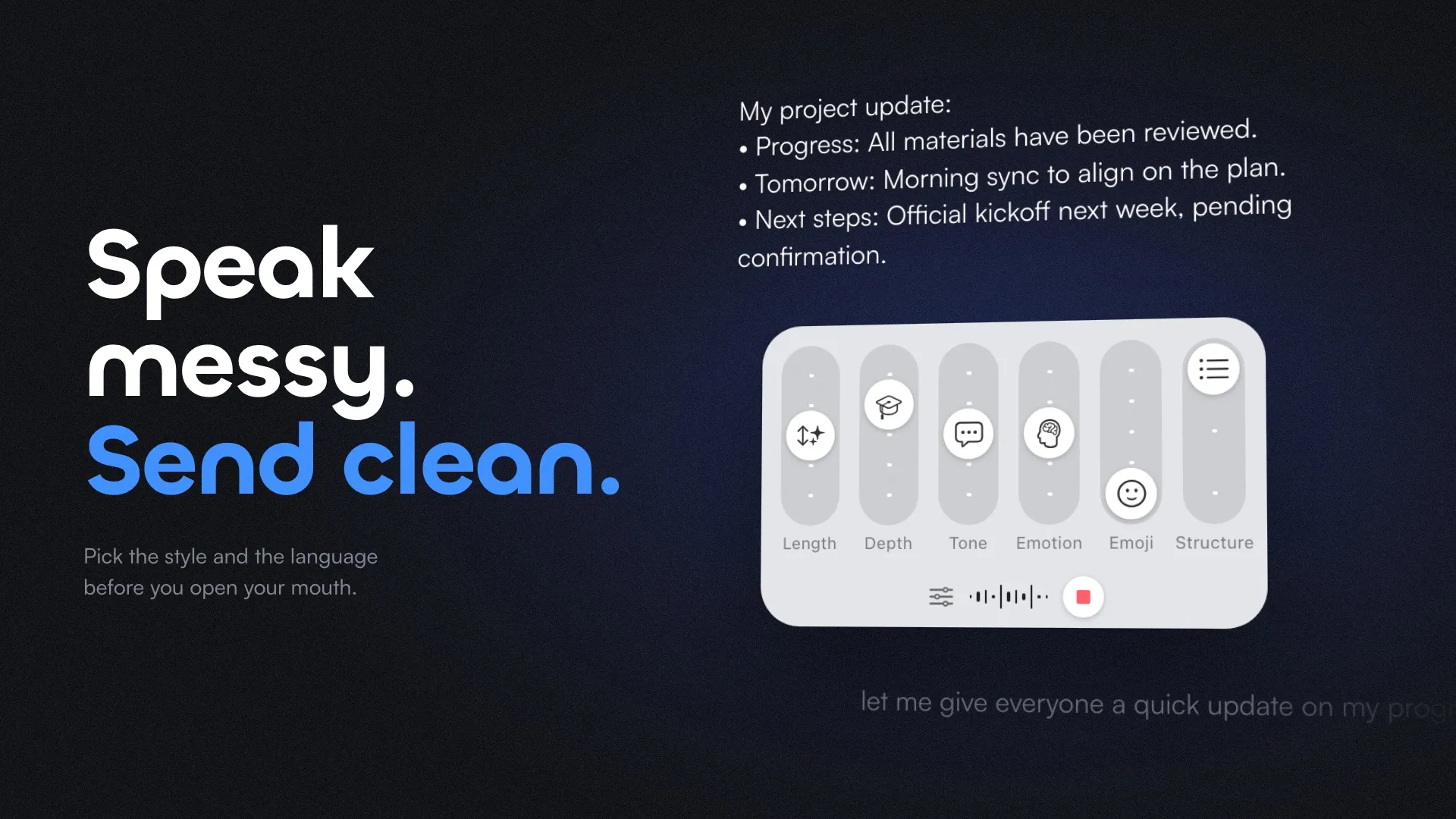
The six sliders set length, depth, tone, emotion, emoji and structure while you speak, and the same sliders rewrite text you already typed. Settings active when you stop recording are applied.
Pick a target language and your spoken or typed Chinese comes out in it, from 45 languages and regional variants. Leave it on Don’t Translate to keep Chinese.
Draft an English email from Chinese speech · How translation works
The global edition also includes English, Spanish, Italian, French, German and Russian keyboards, with clipboard history and saved phrases. On Mac, KeycoBoard works through shortcuts next to your usual input method and does not replace it.
Platforms, permissions, processing and pricing.
It is a full typing keyboard. You can type Chinese with Pinyin, Shuangpin, Wubi, Cangjie or Quick, and AI voice input is added on top in the same keyboard.
Pinyin and Shuangpin on 26 or 9 keys, seven Shuangpin schemes, Wubi 86, 98 and New Century, Cangjie and Quick. Wubi, Cangjie and Quick use the 26-key layout.
No. Tap the microphone in the KeycoBoard keyboard and recording runs inside it without opening the app. The first time, the app opens once to ask for microphone permission.
Typing works offline and without Full Access. Voice input, rewriting and translation need Full Access and an internet connection.
The Chinese keyboard is on iPhone and iPad. On Mac, KeycoBoard adds voice input and rewriting through shortcuts next to the input method you already use, and it does not replace it.
Typing is free. Voice input, rewriting and translation share the Free plan’s 30 uses a month, and Pro makes them unlimited for US$29.99 a year or US$3.99 a month, with one account on Mac and iPhone.
Features, limits and prices, with sources.
Setup and FAQ · Privacy and processing
Free to start on Mac, iPhone and iPad with 30 shared uses a month. Pro is US$29.99/year or US$3.99/month. See pricing